
Skip to content
ShopentlyLearn

Footer · Section settings

Choose desktop, tablet or phone. Missing overrides inherit from desktop to tablet to phone. Zero is an explicit value. Use the unit menu to restore inheritance.

Layout

Choose desktop, tablet or phone. Missing overrides inherit from desktop to tablet to phone. Zero is an explicit value. Use the unit menu to restore inheritance.

Layout — Choose desktop, tablet or phone. Missing overrides inherit from desktop to tablet to phone. Zero is an explicit value. Use the unit menu to restore inheritance.
Layout

Margins

Margin leaves space outside the container. Each field controls one side. Section margins add to the gap between sections.

Margins — Margin leaves space outside the container. Each field controls one side. Section margins add to the gap between sections.
Margins

Padding

Padding separates contents from the container edges. Top, right, bottom and left are independent. In narrow spaces, horizontal padding is constrained to preserve room for content.

The chain links all four sides. Turning it on does not change numbers; the next edit changes every side together. The linked state survives selecting another element and returning.

Padding — Padding separates contents from the container edges. Top, right, bottom and left are independent. In narrow spaces, horizontal padding is constrained to preserve room for content.
Padding

Unit

Click the unit beside the number: 0–512 px or 0–100%. Percentages on all four sides refer to the parent width. Conversion requires the matching device preview; otherwise enter a new value.
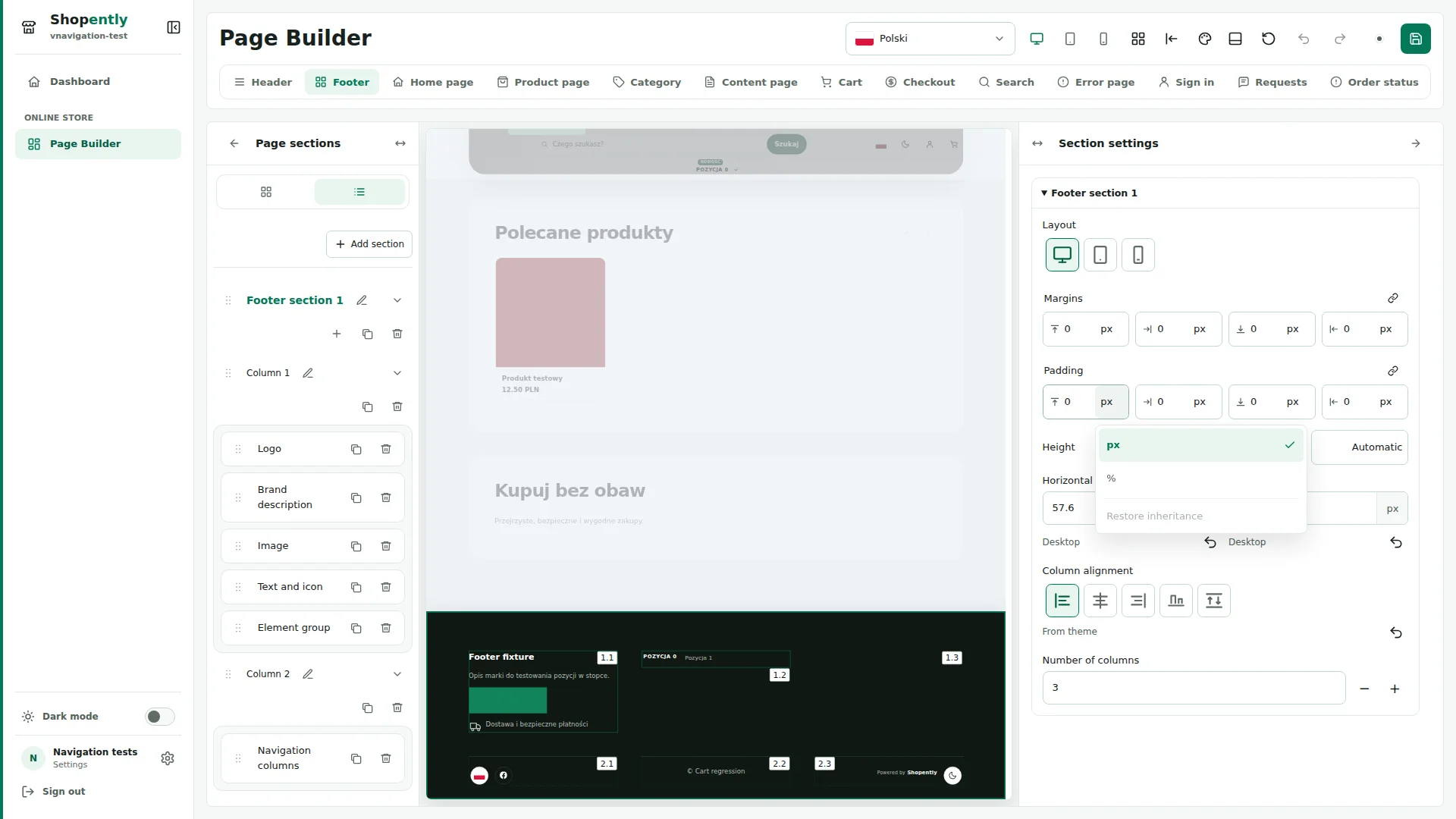
Unit — Click the unit beside the number: 0–512 px or 0–100%. Percentages on all four sides refer to the parent width. Conversion requires the matching device preview; otherwise enter a new value.
Unit

Height

Height is a minimum and does not clip content. Automatic fits the elements. Sections accept px; percentage column heights require an explicit section height. Set it in the dialog or cancel. Longer content can still make the container taller.

Height — Height is a minimum and does not clip content. Automatic fits the elements. Sections accept px; percentage column heights require an explicit section height. Set it in the dialog or cancel. Longer content can still make the container taller.
Height

Horizontal gap / Vertical gap

Horizontal gap separates adjacent columns; vertical gap separates wrapped lines. Both accept 0–512 px. They are independent of margin and padding.
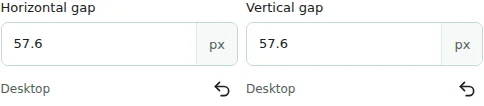
Horizontal gap / Vertical gap — Horizontal gap separates adjacent columns; vertical gap separates wrapped lines. Both accept 0–512 px. They are independent of margin and padding.
Horizontal gap / Vertical gap

Column alignment

Column alignment positions columns in the section’s free space: start, center, end, baseline or stretch. Alignment does not replace width.
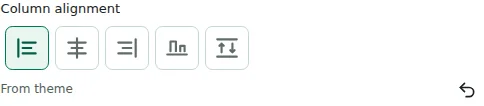
Column alignment — Column alignment positions columns in the section’s free space: start, center, end, baseline or stretch. Alignment does not replace width.
Column alignment

Number of columns

Column count adds or removes containers. Reducing it requires confirmation and moves contents to the last remaining column, preserving text and images.

Number of columns — Column count adds or removes containers. Reducing it requires confirmation and moves contents to the last remaining column, preserving text and images.
Number of columns